Best smart lock for Airbnb in 2026: six picks that hand out the door codes so you can stop driving over
Your guests change every three days and you are 40 miles away. These are the locks built for that arrangement.

By Owen Pratt , Staff Writer, Home Security & Smart Home
When you buy through links on our site, we may earn an affiliate commission. Here is how it works.
The short version
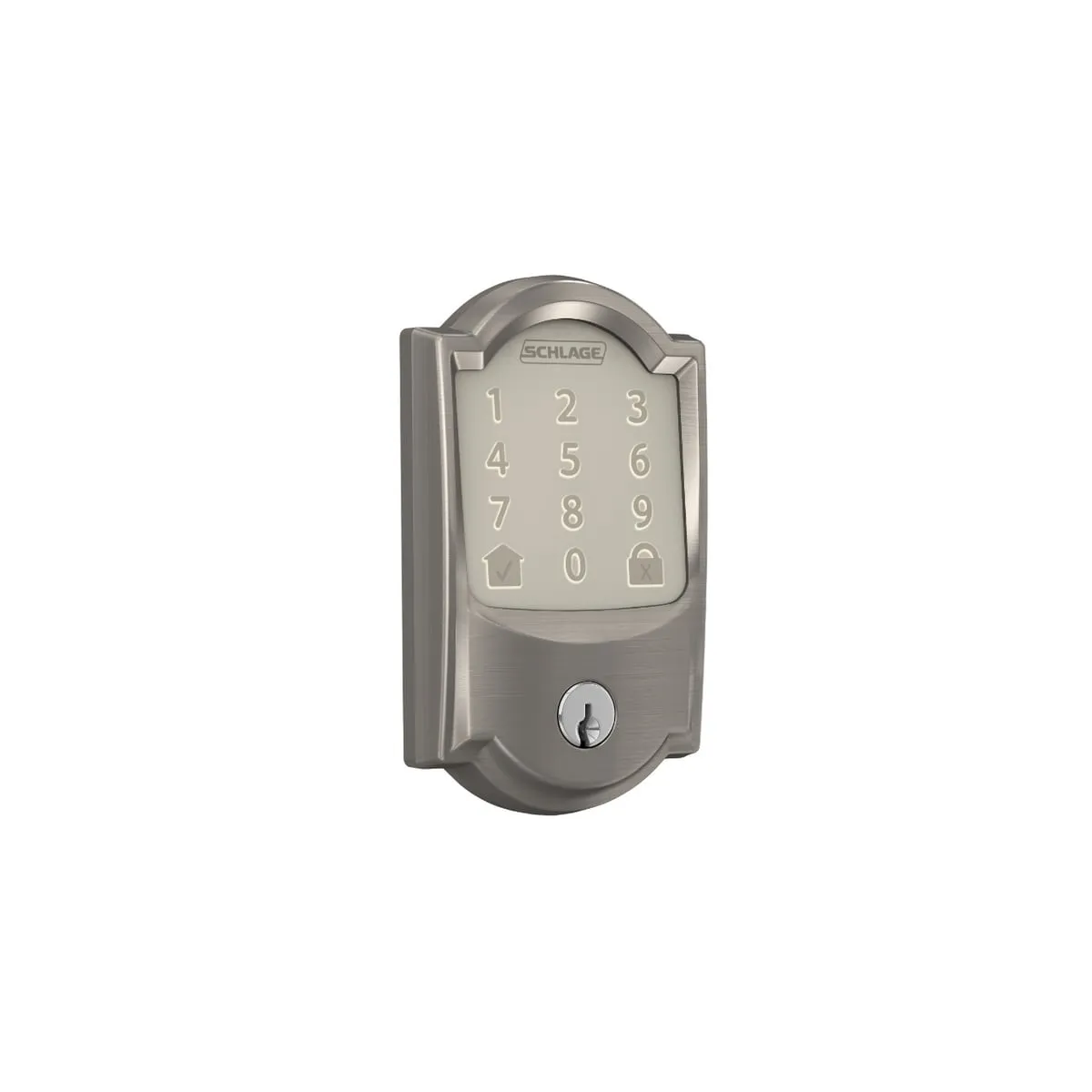
The Schlage Encode Smart WiFi Deadbolt is the best smart lock for most Airbnb hosts. It connects directly to Airbnb for automatic per-booking codes, has built-in Wi-Fi and a keyed backup, and usually costs $225 to $300. The TP-Link Tapo DL110 runs about $110, but it is not on Airbnb's list, so you create every guest code by hand.
Best value overall Schlage Encode Smart WiFi Deadbolt
Our picks at a glance
- Best value overall Schlage Encode Smart WiFi Deadbolt Airbnb hosts who want automatic guest codes, no hub, and a real key as backupCheck price
- Best Schlage alternative Yale Assure Lock 2 Keypad with Wi-Fi Hosts with doors up to 2-1/4 inches thick, or who need more than 100 codesCheck price
- Best for renters Yale Approach Lock with Wi-Fi + Keypad Condo owners and renters who cannot change the outside of the doorCheck price
- Best upgrade Schlage Encode Plus Smart WiFi Deadbolt iPhone owners whose rental is also their own home for part of the yearCheck price
- Best budget pick TP-Link Tapo DL110 Hosts with a few bookings a month who do not mind creating codes by handCheck price
- Best without Wi-Fi Schlage BE365 Keypad Deadbolt Cabins and rural rentals with no internet at the doorCheck price
What is in this guide
- The best smart locks for Airbnb hosts
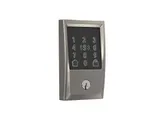
- 1. Schlage Encode Smart WiFi Deadbolt
- 2. Yale Assure Lock 2 Keypad with Wi-Fi
- 3. Yale Approach Lock with Wi-Fi + Keypad
- 4. Schlage Encode Plus Smart WiFi Deadbolt
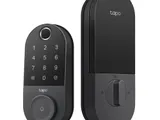
- 5. TP-Link Tapo DL110
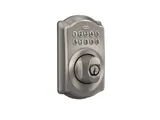
- 6. Schlage BE365 Keypad Deadbolt
- What to look for in a smart lock for a short-term rental
- Does the guest need an app?
- How does it get online, and what happens when Wi-Fi drops?
- How will you know the batteries are dying?
- What does the BHMA grade mean?
- Is there a monthly fee, and what about Vrbo?
- What if the rental has no Wi-Fi?
- How we chose these smart locks
- Which one should you buy?
The best smart lock for Airbnb hosts is the Schlage Encode Smart WiFi Deadbolt, because it handles the one chore a rental lock exists for. Each guest gets a door code that works only during their stay, and you never touch a thing. It is on Airbnb’s short list of locks that connect directly to a listing, the Wi-Fi is built in, and it keeps a real keyhole for the day the batteries quit.
The catch is those batteries. Schlage rates four AAs for up to six months, and a weak Wi-Fi signal at the door shortens that.
If you rent your own place, or a condo board would faint at new hardware, the Yale Approach fits over the inside of the deadbolt you already have for about $180. And if the cabin has no internet at all, a keypad deadbolt for about $130 still beats a key under the mat.
The best smart locks for Airbnb hosts
Three brands dominate this list for a simple reason. According to Airbnb’s help page on connecting a smart lock, only Schlage, Yale, and August locks connect directly to a listing, and only the models it names. The feature covers listings in the US and Canada, with one lock per listing.
The lock has to be on Wi-Fi and have a keypad or touchscreen, so a Bluetooth-only lock will not connect. You link it by signing in to your lock account from Airbnb, which means setting the lock up in its maker’s app first.
1. Schlage Encode Smart WiFi Deadbolt
Schlage Encode Smart WiFi Deadbolt
Best for: Airbnb hosts who want automatic guest codes, no hub, and a real key as backup
- Airbnb integration
- Yes, on Airbnb's supported list
- Gets online by
- Built-in 2.4GHz Wi-Fi, no hub
- Access codes
- Up to 100
- Power
- 4 AA, rated up to 6 months
- Backup entry
- Physical key
- Grade
- BHMA AAA, the top residential rating
Usually $225 to $300
What we like
- Wi-Fi is built in, so there is no bridge for a guest to unplug
- On Airbnb's supported list, so each booking gets its own expiring code
- BHMA AAA rating, the top score for security, durability, and finish
- Low-battery warnings in the app and on the touchscreen, plus a keyhole
What to know
- Batteries last six months at best, and less with weak Wi-Fi at the door
- Fits doors up to 1-3/4 inches thick only
- Joins 2.4GHz Wi-Fi networks only
A family front door sees the same four people every day. A rental door sees strangers on a three-day rotation, and nobody is home to let them in.
The Encode copes because Airbnb talks to it directly. Connect it once and every confirmed booking gets its own code by email and Airbnb message. Airbnb’s hosting guide says the code switches on at check-in time and expires 30 minutes after checkout.
The Wi-Fi radio sits inside the lock, so there is no plug-in bridge (the small box some locks need to reach the router) for a guest to pull out for a phone charger. It joins a 2.4GHz network (the slower, longer-reaching band every home router broadcasts) and stores up to 100 codes. Schlage says codes and schedules already on the lock stay active through a Wi-Fi outage. What stops is anything new.
Battery life is the weak spot. Four AAs last six months at best, and Schlage’s support notes say a weak signal at the lock drains them faster. Owner complaints match: fiddly Wi-Fi setup, and batteries that fall short on doors far from the router. The lock warns you in the app and on its touchscreen before it dies, and the app logs every lock and unlock.
Schlage’s own store asks about $300, but hardware stores usually sit near $225. Skip it if your door is thicker than 1-3/4 inches, and get the Yale below.
For a door with a lever and no deadbolt, the Encode Smart WiFi Lever is on Airbnb’s list too. And do not grab the newer Schlage Arrive Smart WiFi Deadbolt by mistake. It is not on Airbnb’s list, and Hospitable (a paid scheduling tool for hosts on several platforms) says it does not support it either.
2. Yale Assure Lock 2 Keypad with Wi-Fi
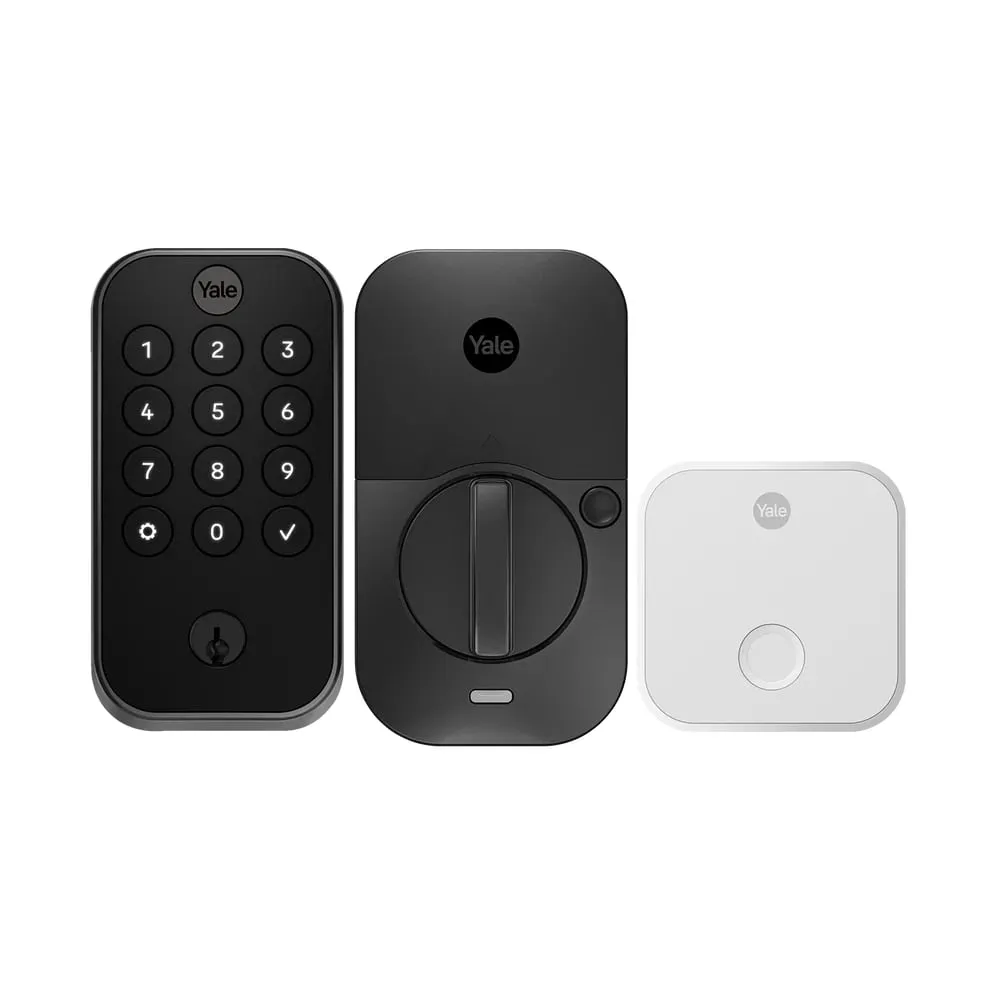
Yale Assure Lock 2 Keypad with Wi-Fi
Best for: Hosts with doors up to 2-1/4 inches thick, or who need more than 100 codes
- Airbnb integration
- Yes, on Airbnb's supported list
- Gets online by
- Built-in 2.4GHz Wi-Fi
- Entry codes
- Up to 250
- Power
- 4 AA, no published battery life
- Door thickness
- 1-3/8 to 2-1/4 inches
- Backup entry
- Physical key on the keyed version
Usually $240 to $260
What we like
- Stores up to 250 entry codes, against 100 on the Schlage
- Fits doors from 1-3/8 to 2-1/4 inches thick
- Battery Insight in the app estimates when the AAs need replacing
What to know
- Fast battery drain is a recurring complaint in owner reviews of the Wi-Fi models
- Yale publishes no battery life figure for the Wi-Fi versions
- Yale lists ANSI/BHMA Grade 2, with no letter rating to set beside Schlage's AAA
The Yale Assure Lock 2 with Wi-Fi is on Airbnb’s list too, and it gets the same automatic codes. It beats the Schlage on two numbers. It holds 250 entry codes instead of 100, and it fits doors up to 2-1/4 inches thick, half an inch more than the Encode allows.
This version has physical push buttons where the Schlage has a touchscreen. Buttons are easier to find by feel on a dark porch at 11 p.m., with luggage in the other hand.
The catch is power. Yale gives a 12-month battery figure for its bridge-based Approach lock and no figure at all for the Wi-Fi versions of the Assure Lock 2, and fast battery drain is a recurring complaint in owner reviews. The app softens it with Battery Insight, which estimates when the AAs will need replacing.
Yale seems to know. Its own page for vacation rental hosts sells the Assure Lock 2 bundled with a plug-in Wi-Fi bridge for about $260, and says the bridge extends battery life. If you choose Yale, that is the bundle we’d buy, with the bridge plugged in somewhere a guest will not go looking for an outlet.
Get the keyed version, not the key-free one, so a spare key in a lockbox can be your backup. It usually runs $240 to $260, a little more than the Encode costs in stores. Skip it if you want to think about batteries as rarely as possible, and take the Schlage.
3. Yale Approach Lock with Wi-Fi + Keypad
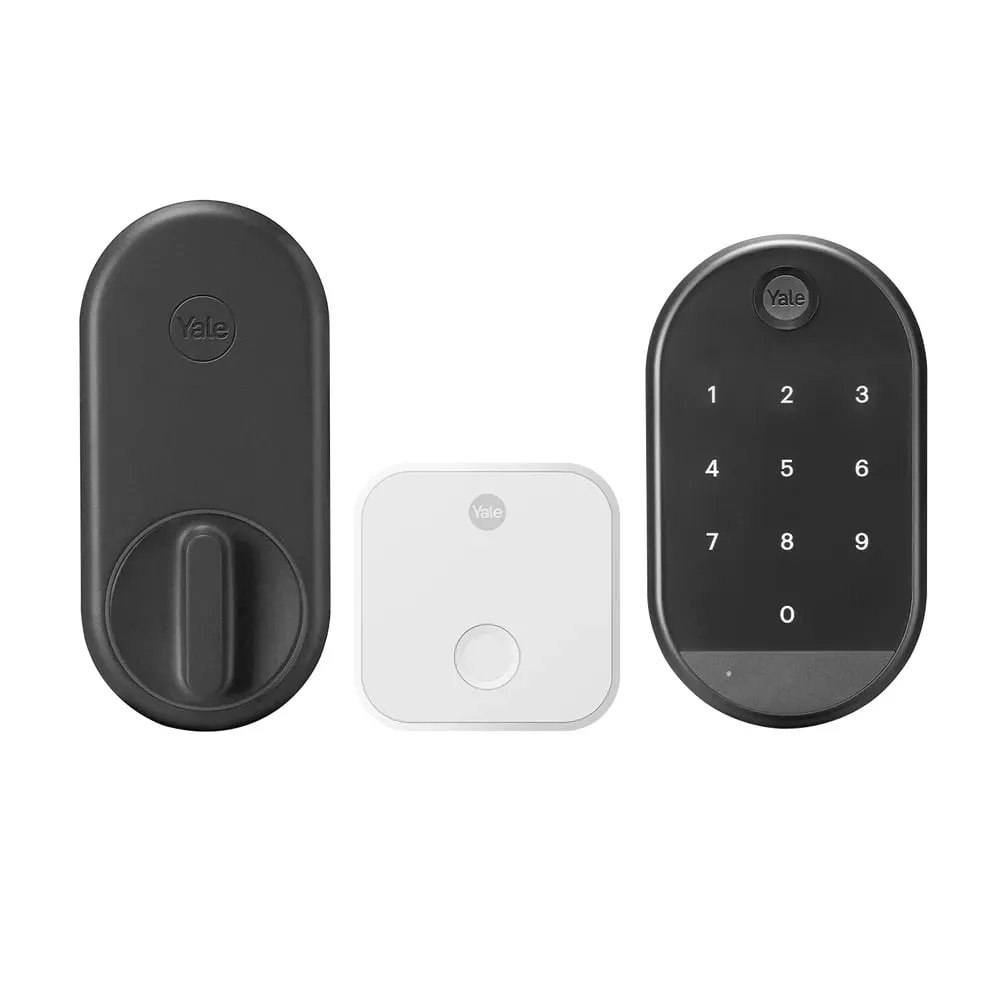
Yale Approach Lock with Wi-Fi + Keypad
Best for: Condo owners and renters who cannot change the outside of the door
- Airbnb integration
- Yes, when paired with the keypad
- Gets online by
- Included plug-in Wi-Fi bridge
- Entry codes
- Up to 250
- Lock power
- 4 AA, rated 12 months
- Keypad power
- 4 AAA, rated 7 months
- Backup entry
- Your existing key
Usually around $180 with the keypad
What we like
- Replaces only the inside thumb turn, so the exterior and your keys stay the same
- Lock is rated for 12 months on four AAs, double the Schlage figure
- Wireless keypad mounts with adhesive or screws within 30 feet of the lock
What to know
- Remote codes depend on a plug-in bridge that a guest can unplug
- Two sets of batteries to track, one in the lock and one in the keypad
- Only as strong as the deadbolt already on the door
Some doors are not yours to drill. The Approach replaces only the thumb turn on the inside of an existing deadbolt, which Yale says takes under 10 minutes with a screwdriver. The outside of the door looks exactly as it did, and the keys you already have still work. For a condo with strict rules about exterior hardware, or a renter hosting with the landlord’s blessing, that is the whole appeal.
Airbnb supports the Approach only when it is paired with a keypad, so buy the bundle. The wireless keypad mounts with adhesive or screws within 30 feet of the lock. The lock runs on four AAs rated for 12 months, and the keypad on four AAAs rated for seven.
The weak spot is how it gets online. The lock speaks Bluetooth to a small bridge that plugs into an outlet near the door, and the bridge carries the Wi-Fi. If a guest unplugs it, no new codes reach the lock until someone plugs it back in. Pick an outlet nobody will want.
Two more cautions. Your security is only as good as the deadbolt you kept. And Hospitable does not list the Approach as supported, which matters if you also take bookings on Vrbo.
The keypad bundle is about $180, roughly $45 under the Encode’s usual store price. Skip it if you own the door and can swap the deadbolt, because the Encode has no bridge to lose. The August Wi-Fi Smart Lock is the same retrofit idea with Wi-Fi built in, and Airbnb lists it when it is paired with a keypad.
4. Schlage Encode Plus Smart WiFi Deadbolt
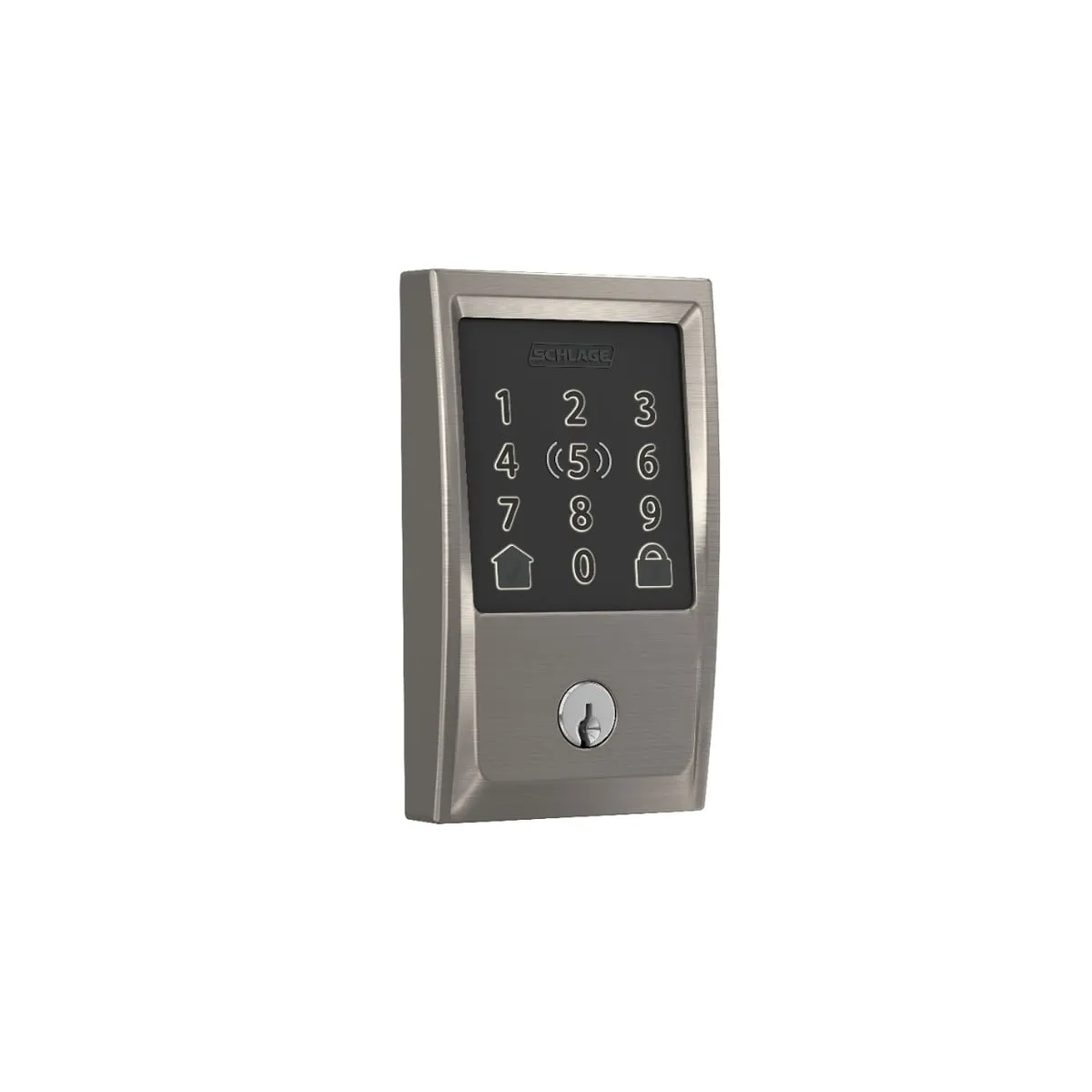
Schlage Encode Plus Smart WiFi Deadbolt
Best for: iPhone owners whose rental is also their own home for part of the year
- Airbnb integration
- Yes, on Airbnb's supported list
- Gets online by
- Built-in 2.4GHz Wi-Fi, no hub
- Owner extra
- Apple home keys (tap an iPhone or Apple Watch)
- Access codes
- Up to 100
- Power
- 4 AA, rated up to 6 months
- Grade
- BHMA AAA, the top residential rating
Usually around $330
What we like
- Tap an iPhone or Apple Watch to unlock, on top of everything the Encode does
- Same Airbnb support, 100 codes, and AAA rating as our top pick
- Keyed backup and a built-in alarm that senses forced entry
What to know
- Costs $30 more than the Encode at Schlage's own prices for a perk guests never use
- Airbnb warns that Apple Home can get in the way of connecting a lock
- Same six-month battery ceiling as the cheaper Encode
For your guests, the Encode Plus is the same lock as our top pick. It has the same Airbnb support, the same 100 codes, the same four AAs rated for up to six months, and the same AAA rating (the top residential score for security, durability, and finish). What the extra money buys is Apple home keys, which let you unlock by tapping an iPhone or Apple Watch against the lock.
That is a perk for the owner, and only the owner. Guests cannot use it, so it earns its place only if the rental is also your home for part of the year. (We accept that skipping a four-digit code is the laziest possible reason to spend more on a lock.)
There is an awkward wrinkle. Airbnb’s help page warns that smart home platforms such as Apple HomeKit can interfere with its ability to find your lock, and says you may need to disconnect the lock from that platform first. We’d connect Airbnb first and add the lock to Apple Home afterward.
Android owners have their own version of this arriving, as we covered in our story on house keys coming to Google Wallet. Check which locks support it before paying extra.
Schlage lists the Plus at about $330 against about $300 for the Encode. Skip it if you never stay at the property, because your guests will never know the difference.
5. TP-Link Tapo DL110
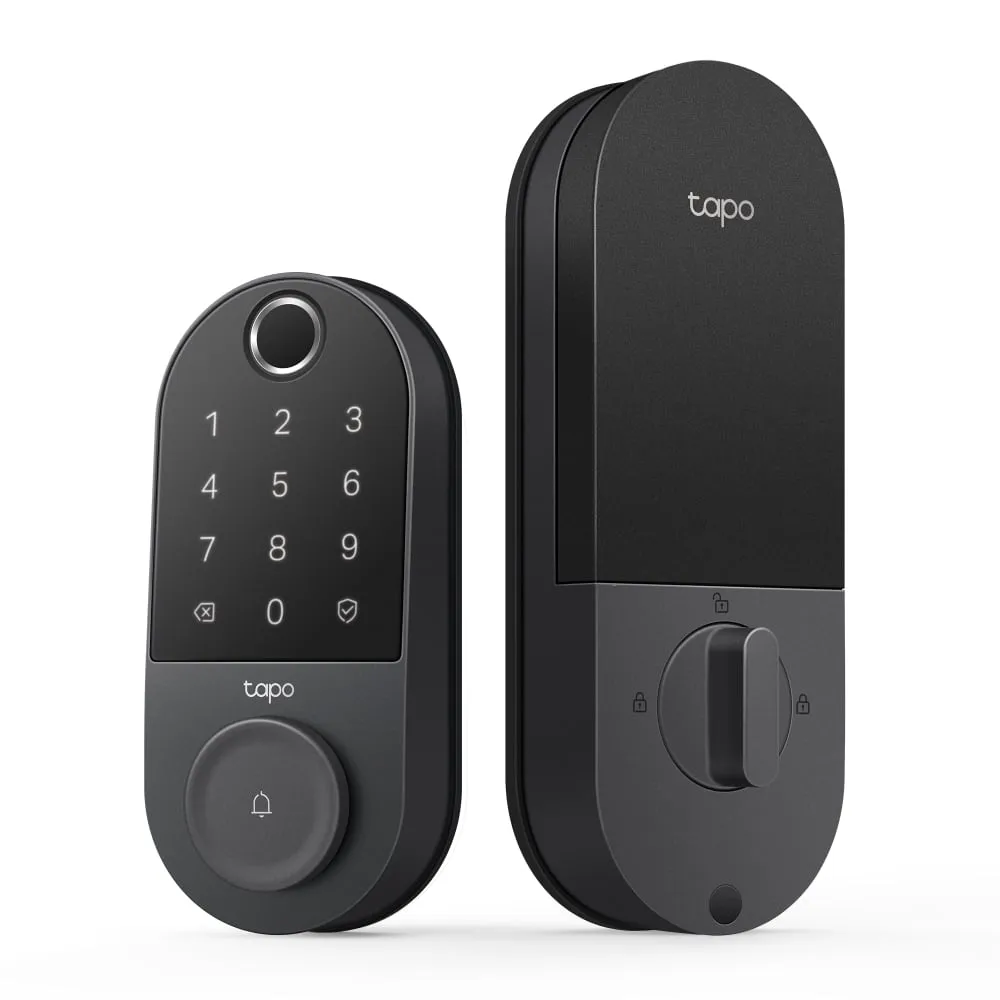
TP-Link Tapo DL110
Best for: Hosts with a few bookings a month who do not mind creating codes by hand
- Airbnb integration
- No, codes are made in the Tapo app
- Gets online by
- Built-in 2.4GHz Wi-Fi
- Access codes
- Up to 200, scheduled or one-time
- Power
- Rechargeable battery, rated up to 1 year
- Emergency power
- USB-C port
- Backup entry
- Two physical keys
Usually $110 to $150
What we like
- Street price is about half that of the Schlage Encode
- Rechargeable battery rated for up to a year, with a USB-C port for emergencies
- Scheduled and one-time passcodes, with room for up to 200 codes
What to know
- Not on Airbnb's list, so every guest code is a manual job
- Not on Hospitable's supported-lock list either
- A flat battery means removing the pack to recharge it, not a quick AA swap
The Tapo DL110 is here for hosts who looked at $225 and winced. It usually sells for $110 to $150, and it still covers the basics a rental needs: built-in Wi-Fi, a keypad, and guest access you manage from anywhere in the Tapo app. It supports scheduled passcodes (codes that only work between times you set) and one-time passcodes, with room for 200 codes.
The power setup cuts both ways. The rechargeable battery is rated for up to a year, a figure from TP-Link’s own lab, and a USB-C port gives emergency power, so a guest with a power bank can wake a dead lock. But you cannot drop in fresh AAs. Someone has to pull the pack and charge it.
The real catch is that Airbnb does not connect to it, and neither does Hospitable. Every booking means you create a code, set its start and end times, and paste it into a message. At four bookings a month that is a minor chore. At twenty it is a part-time job, with a 1-star review waiting the first time you forget.
It is rated IP65 (sealed against dust and sprayed water) and comes with two backup keys. Skip it if your calendar is full of back-to-back stays. The Schlage costs about $100 more and never forgets.
6. Schlage BE365 Keypad Deadbolt
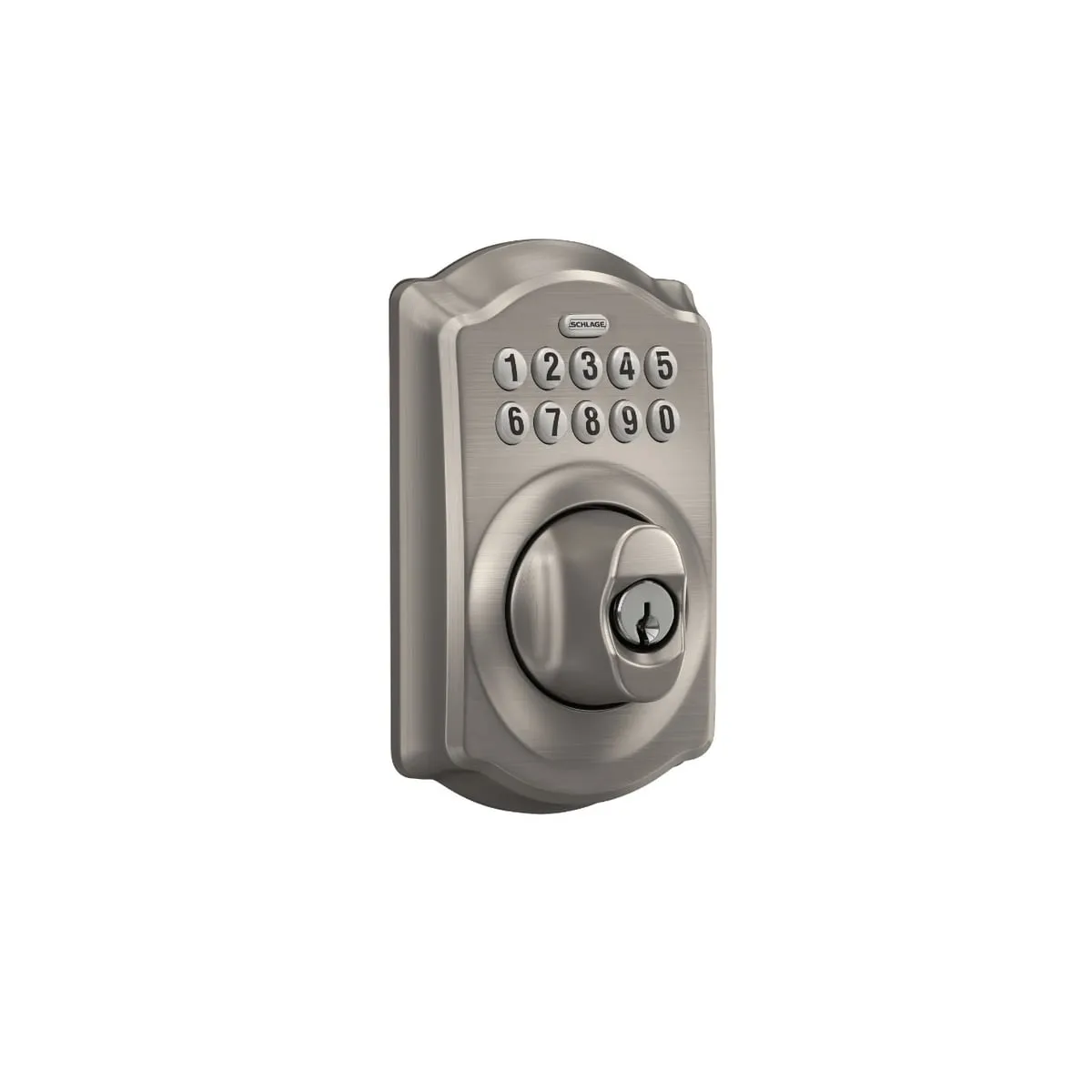
Schlage BE365 Keypad Deadbolt
Best for: Cabins and rural rentals with no internet at the door
- Airbnb integration
- No, it has no radio at all
- Gets online by
- It does not. Codes are set at the keypad
- Access codes
- Up to 19
- Power
- One 9V, rated up to 2 years
- Backup entry
- Physical key
- Grade
- BHMA AAA residential, Grade 2
Usually $130 to $170
What we like
- No Wi-Fi, app, or account that can fail on a guest
- One 9V battery is rated for up to two years
- Holds 19 codes, enough to give each guest their own for weeks
What to know
- Codes have to be added and deleted in person at the keypad
- No activity log and no low-battery alert on your phone
- Codes never expire by themselves
No Wi-Fi at the cabin means no smart lock can receive a code from the internet, however clever its app. The BE365 does not try. It is a keypad deadbolt with no radio in it, and for an off-grid rental that is a feature. There is no app to crash, no account to reset, and no router to blame.
It stores up to 19 four-digit codes, which you add and delete by pressing buttons on the lock itself. One 9V battery is rated for up to two years, a low-battery indicator sits on the keypad, and there is a keyhole as backup.
The catch is that nothing happens remotely. A code works until a person standing at the door deletes it, so a guest from March can still get in come May unless your cleaner clears codes at each turnover. There is no log of who came and went, and no alert on your phone when the battery runs low. Put in a fresh 9V every spring.
Schlage’s own store lists it at about $170, and other stores usually sell it closer to $130. Skip it if the property has reliable internet, because the Tapo costs about the same and makes codes from your couch.
What to look for in a smart lock for a short-term rental
Does the guest need an app?
They should not. A guest should walk up, type digits, and be inside. Anything that asks a tired traveler to download an app or create an account is a support call. This is why Airbnb requires a keypad or touchscreen, and why fingerprint readers, voice assistants, and auto-unlock add nothing for guests.
How does it get online, and what happens when Wi-Fi drops?
Built-in Wi-Fi is one less thing to break. A bridge (a small plug-in box that relays between the lock and your router) is one more thing a guest can unplug. Schlage and Yale both say guests can still get in with their codes during a Wi-Fi outage.
New codes are the problem. If the lock is offline when someone books, Airbnb cannot generate their code, and it shares one of the backup codes it keeps on the lock. It also asks you to set a backup entry method, such as a lockbox with a key, for dead batteries or a broken keypad.
How will you know the batteries are dying?
A dead lock at check-in is the classic 1-star review. Look for a rated battery life, a low-battery alert on your phone, and a physical fallback (a keyhole or an emergency power port). Then put battery swaps on the cleaning checklist anyway.
What does the BHMA grade mean?
BHMA is the trade group that certifies door hardware. Its residential label has three letters, for security, durability, and finish, and each runs from C (good) to A (best), as BHMA’s Secure Home site explains. AAA is the top score. Numbered grades come from the commercial standards, where Grade 1 is the highest.
Is there a monthly fee, and what about Vrbo?
The Schlage Home and Yale Access apps are free, TP-Link says its lock has no subscription fees, and Airbnb’s help page lists no fee for its integration.
Hosts on Vrbo or several platforms who want the same automation need a paid scheduling tool. Hospitable’s supported-lock list includes the Schlage Encode family and the Yale Assure Lock 2 with Wi-Fi, and Hospitable says it gives each reservation its own code across Airbnb, Vrbo, and Booking.com. The Yale Approach, the Tapo DL110, and the Schlage Arrive are not on it.
What if the rental has no Wi-Fi?
One smart option exists. The igloohome Deadbolt 2S creates time-limited PIN codes without an internet connection at the lock, and can sync with an Airbnb calendar. The catch is that its entry log and battery status only update when a phone is within Bluetooth range of the lock. With that and a one-year warranty, it is a footnote here and not one of our picks.
| Lock | Airbnb integration | Gets online by | Rated battery life | Backup | Typical price |
|---|---|---|---|---|---|
| Schlage Encode | Yes | Built-in Wi-Fi | Up to 6 months | Key | $225 to $300 |
| Yale Assure Lock 2 Keypad | Yes | Built-in Wi-Fi | Not published | Key | $240 to $260 |
| Yale Approach + Keypad | Yes | Plug-in bridge | 12 months | Existing key | About $180 |
| Schlage Encode Plus | Yes | Built-in Wi-Fi | Up to 6 months | Key | About $330 |
| TP-Link Tapo DL110 | No | Built-in Wi-Fi | Up to 1 year | Keys, USB-C | $110 to $150 |
| Schlage BE365 | No | Not connected | Up to 2 years | Key | $130 to $170 |
How we chose these smart locks
We started with Airbnb’s own compatibility list, because a lock that makes its own code per booking removes the step hosts forget. From there we kept only locks with a keypad or touchscreen on the door and a way in when the batteries die.
We read each manufacturer’s product and support pages for the fine print: how the lock gets online, how many codes it stores, and what the batteries are rated for. We weighed patterns in owner reviews, with extra attention to battery drain and Wi-Fi dropouts, since those are the two failures that strand a guest. We also checked which locks the scheduling tools support, and compared list prices with what stores usually charge.
Value decided the order, which is why the Encode sits above its pricier sibling. Our general approach is laid out on how we pick.
Which one should you buy?
If your listing is on Airbnb and you own the door, buy the Schlage Encode Smart WiFi Deadbolt. It gets you automatic codes with the fewest parts to fail, and Hospitable supports it if you add Vrbo later.
If your door is thicker than 1-3/4 inches, get the Yale Assure Lock 2 Keypad, preferably in Yale’s vacation rental bundle with the bridge. If you cannot change the outside of the door at all, get the Yale Approach with its keypad and guard that bridge like it owes you money.
If the rental is also your home and you carry an iPhone, the Encode Plus is a fair treat. If your budget stops near $110 and bookings are occasional, the Tapo DL110 will do the job with more typing. And if there is no internet at the property, the Schlage BE365 is the honest answer.
Whichever you choose, tape spare batteries inside a kitchen cabinet and tell your cleaner where they are. That costs a few dollars, and it is the cheapest review insurance you will ever buy.
More buying guides
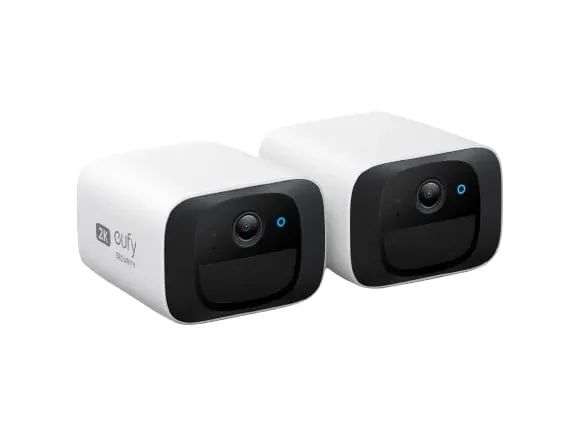
Best security camera without subscription in 2026: six picks that never send you a monthly bill
A cheap camera with a monthly plan is a rental. These six record to a card, a hub, or a recorder you own, and the fine print holds up.
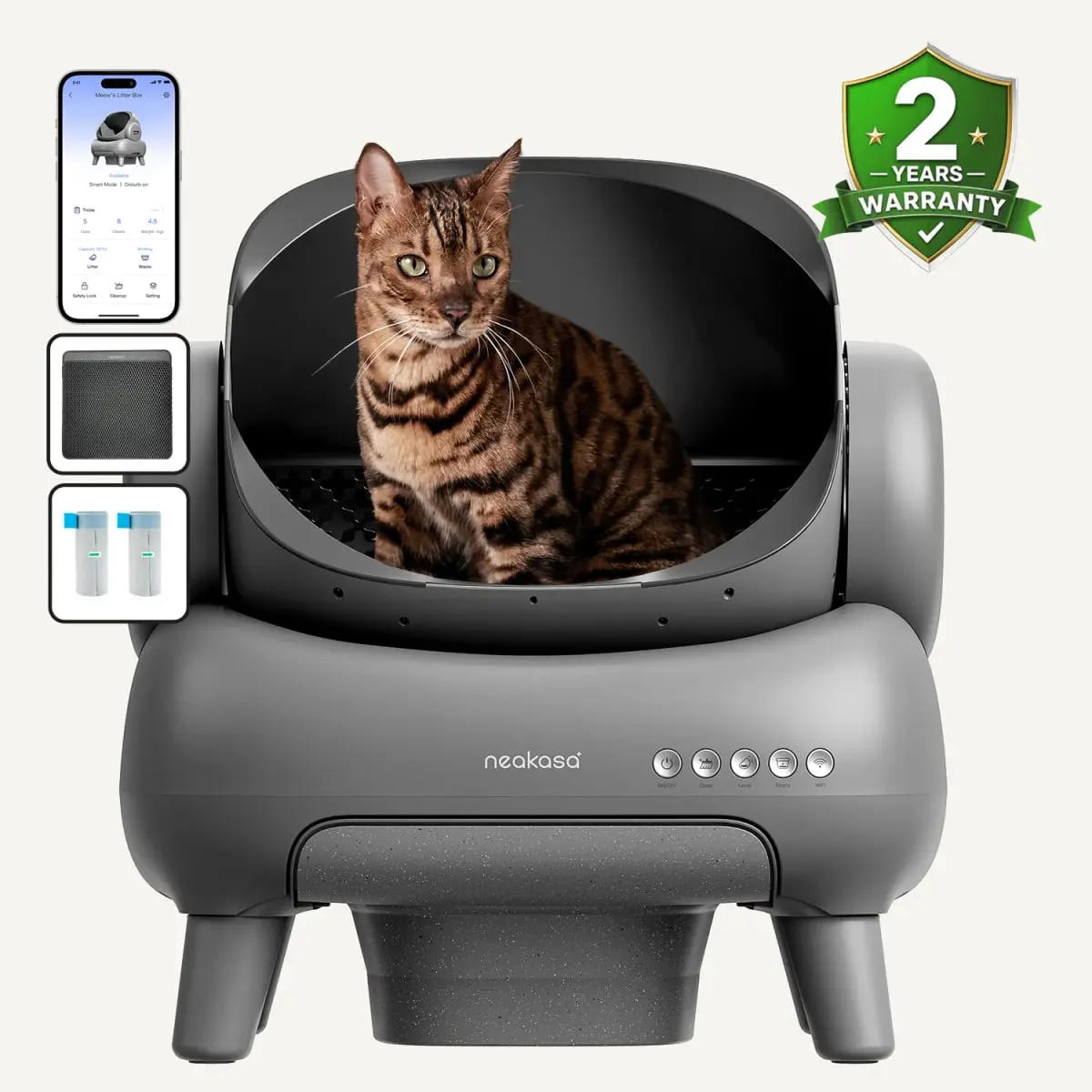
Best automatic litter box for multiple cats in 2026: five picks with documented safety features, and the waste math done for two to four cats
Every two-week promise on the box was written for one cat. Here is what the drawer math, the entry size, and the safety sensors look like when the whole clowder shares.
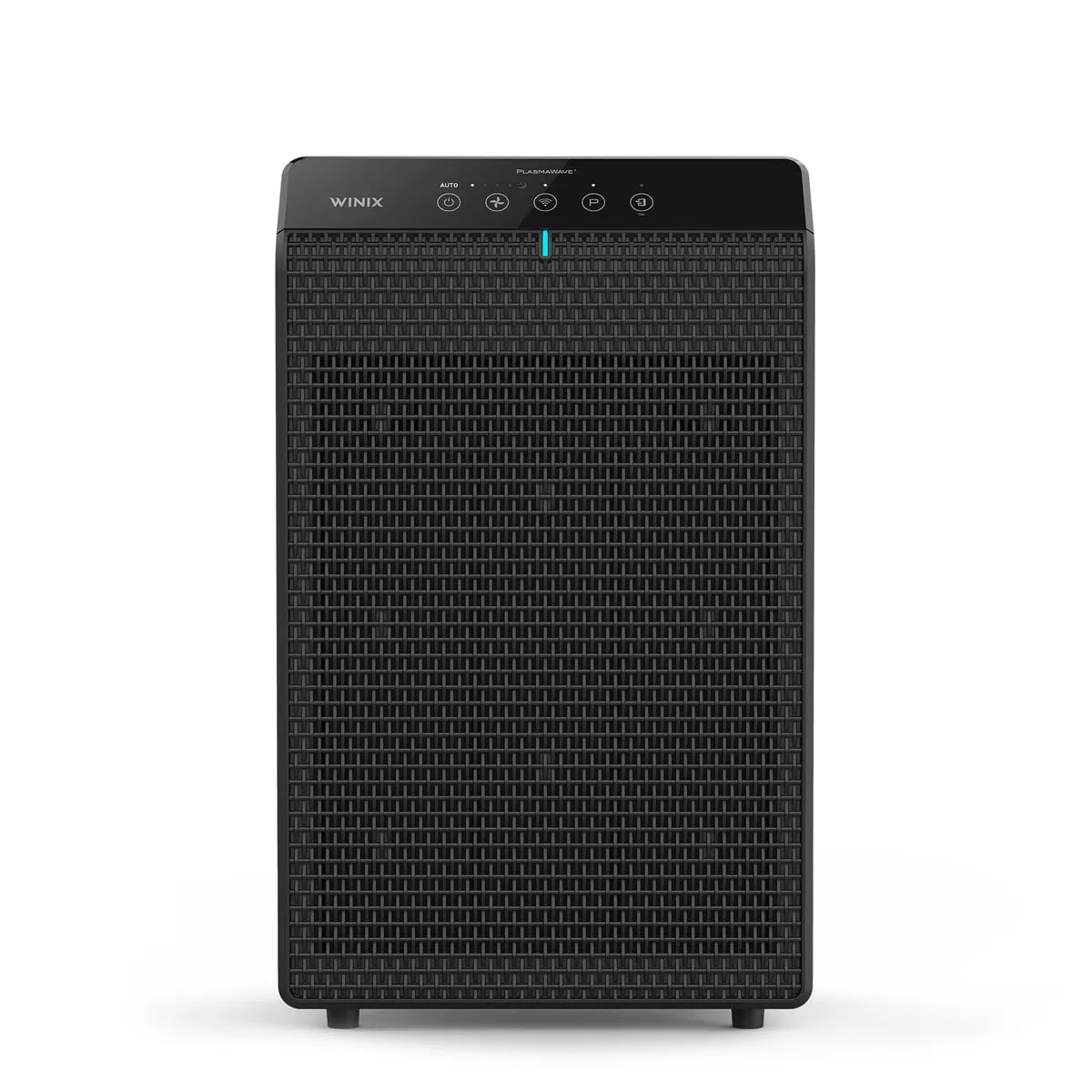
Best air purifier for cat litter smell in 2026: six machines ranked by how much carbon they actually carry
A HEPA filter catches litter dust. Only carbon catches the smell, and most purifiers carry about a handful of it.