Best SSD for PS5 for GTA 6 in 2026: five drives for a 212GB game, ranked by value instead of bragging rights
One game now eats a quarter of a PS5. Here is the cheapest sensible way to get that space back.

By Tyler Brennan , Senior Editor, PC Gaming Hardware
When you buy through links on our site, we may earn an affiliate commission. Here is how it works.
The short version
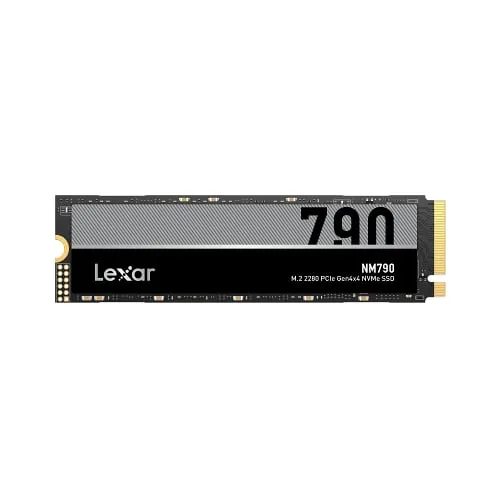
The best SSD for a PS5 running GTA VI is the 2TB Lexar NM790, usually around $315, plus a roughly $10 heatsink that Sony requires. It beats Sony's 5,500MB/s recommendation and carries a five-year warranty. If you want a factory heatsink, the 2TB SanDisk Optimus GX PRO 850X with Heatsink runs around $430. The cheapest option is the 1TB Lexar NM790 with Heatsink at around $185.
Best value overall Lexar NM790
Our picks at a glance
- Best value overall Lexar NM790 Anyone who wants 2TB for the least money and can stick a heatsink on a driveCheck price
- Best no-fuss 2TB SanDisk Optimus GX PRO 850X with Heatsink PS5 and PS5 Pro owners who want 2TB with nothing extra to buy or fitCheck price
- Best budget pick Lexar NM790 with Heatsink Players who mostly need room for GTA VI and a few other big gamesCheck price
- Best upgrade Samsung 990 Pro with Heatsink Buyers who expect to move the drive into a gaming PC one dayCheck price
- Best licensed drive SanDisk Optimus GX PRO 850P Gift buyers and anyone who wants the PlayStation logo to settle every compatibility questionCheck price
What is in this guide
- The best SSDs for PS5 for GTA 6
- 1. Lexar NM790
- 2. SanDisk Optimus GX PRO 850X with Heatsink
- 3. Lexar NM790 with Heatsink
- 4. Samsung 990 Pro with Heatsink
- 5. SanDisk Optimus GX PRO 850P
- What to look for in a PS5 SSD for GTA 6
- The specs Sony actually checks
- Does a faster drive load GTA VI faster?
- 1TB or 2TB?
- Do you need a heatsink?
- What about a cheap external USB drive?
- How hard is the installation?
- How we chose these PS5 SSDs
- Which one should you buy?
Grand Theft Auto VI wants 212GB of your console, so the best SSD for PS5 for GTA 6 is the one that adds the most room for the least money. Right now that is the 2TB Lexar NM790, which usually sells for around $315. It reads faster than Sony asks for and carries a five-year warranty.
The catch is that it ships without the heatsink (a finned metal cover that carries heat away from the chips) that Sony requires. A basic one costs around $10 and takes a couple of minutes to stick on. If that sounds like a chore, the 2TB SanDisk Optimus GX PRO 850X with Heatsink arrives ready to install for around $430. And if $315 is too much, the 1TB Lexar NM790 with Heatsink does the job in half the space for around $185.
Speed is the one thing you can stop worrying about. Every drive below clears Sony’s bar. Our launch-day rundown covers which consoles run the game and what else it needs.
The best SSDs for PS5 for GTA 6
1. Lexar NM790
Lexar NM790
Best for: Anyone who wants 2TB for the least money and can stick a heatsink on a drive
- Capacity we'd buy
- 2TB
- Rated read speed
- Up to 7,400MB/s
- Heatsink
- Not included, add your own
- Thickness
- 0.10 inches bare
- Warranty
- 5 years
Usually around $315 for 2TB, plus a heatsink
What we like
- Around $315 for 2TB, roughly $100 under the cheapest 2TB drive here with a heatsink attached
- Rated at 7,400MB/s, well past Sony's 5,500MB/s recommendation
- Five-year warranty, rated for 1,500TB of total data written
What to know
- Sony requires a heatsink and this drive ships without one
- You are responsible for keeping the finished drive under 11.25mm thick
PlayStation’s GTA VI page tells buyers to clear a minimum of 212GB. A 2TB drive has room for nine installs that size. In practice that means GTA VI, everything else you play, and an end to the monthly ritual of deciding which game gets deleted.
The Lexar NM790 is a PCIe Gen4 drive rated at up to 7,400MB/s of sequential read speed (how quickly it pulls one large file off the drive), well past the 5,500MB/s Sony recommends. Lexar lists it as PS5 compatible, and the 2TB version carries a five-year warranty and a 1,500TB endurance rating (how much data you can write before the warranty ends). That matches the warranty on the pricier picks below. The bare 2TB drive usually sells for around $315, and a basic M.2 heatsink adds roughly $10, which lands about $100 under the factory-heatsink 2TB option.
You cannot skip the heatsink. Sony’s instructions say plainly not to use a drive without one. The bare NM790 is only 2.45mm thick, which leaves plenty of room for a slim stick-on cooler under Sony’s limits.
The real catch is that the fit becomes your job. The finished drive has to stay under 11.25mm thick, with no more than 8mm of that above the circuit board. Most low-profile heatsinks manage it, but some PS5-specific coolers that replace the slot cover only suit certain console models, so read the listing before you buy. Sony also says not to add a second heatsink to a drive that already has one, so do not pair this with a drive that comes pre-cooled.
Skip this one if the words “thermal pad” make you uneasy. Pick 2 costs about $100 more precisely because someone else has already done that part.
2. SanDisk Optimus GX PRO 850X with Heatsink
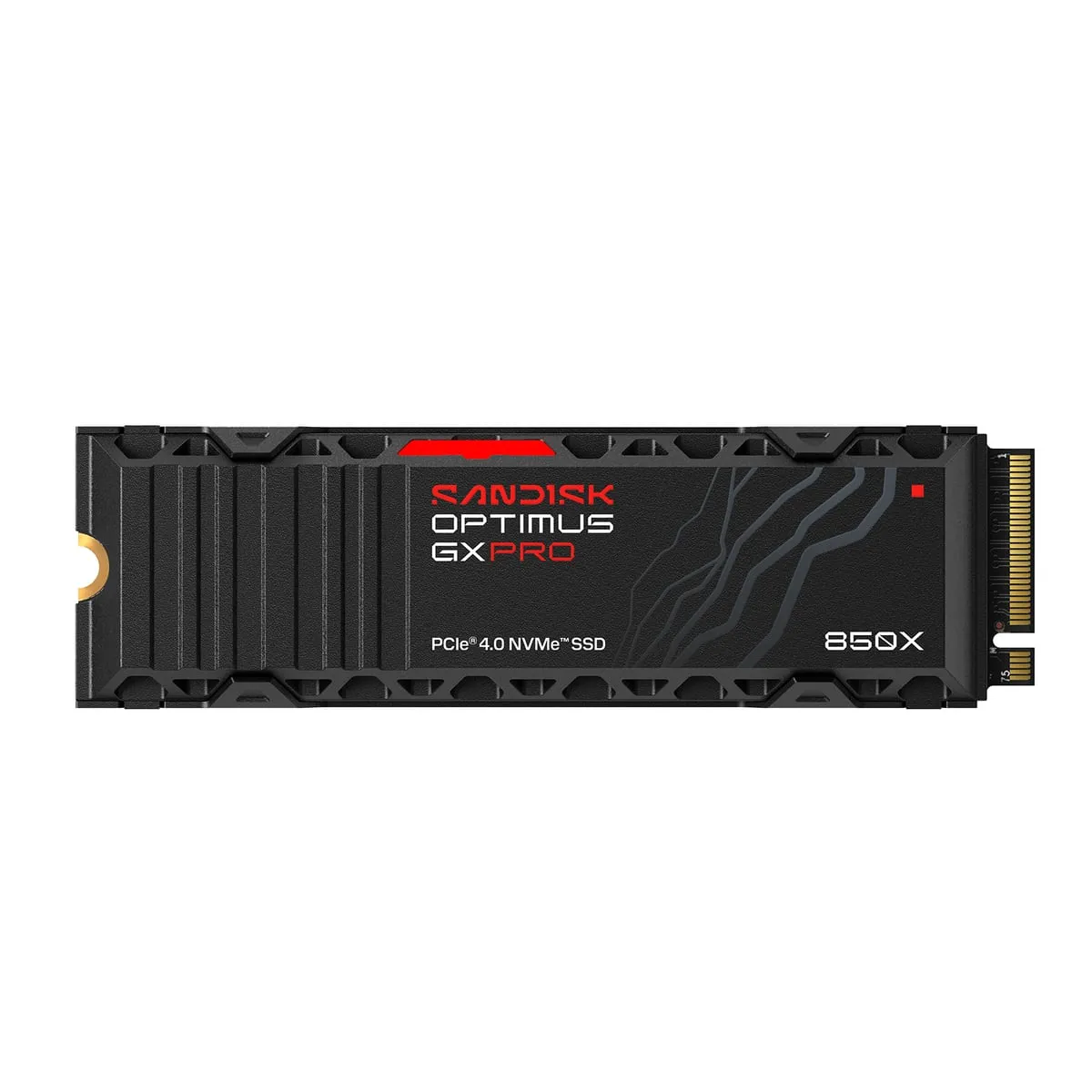
SanDisk Optimus GX PRO 850X with Heatsink
Best for: PS5 and PS5 Pro owners who want 2TB with nothing extra to buy or fit
- Capacity we'd buy
- 2TB (1TB, 4TB and 8TB also sold)
- Rated read speed
- Up to 7,300MB/s
- Heatsink
- Built in
- Thickness
- 0.35 inches with heatsink
- Warranty
- 5 years
Usually around $430 for 2TB
What we like
- Rated at 7,300MB/s, well past Sony's 5,500MB/s recommendation
- Heatsink attached at the factory, so nothing to buy or fit
- About $140 less than SanDisk's licensed PS5 drive at 2TB
What to know
- Around $100 more than pick 1 for the same 2TB, and the heatsink is most of the difference
- New name causes confusion with older WD_Black SN850X listings
This is the no-fuss version of the same idea, and the one we’d hand to anyone who does not want a project. SanDisk rates the 850X at up to 7,300MB/s, the heatsink is attached at the factory, and at about 0.35 inches thick it sits comfortably inside Sony’s size limit. The 2TB usually runs around $430, which works out to about $215 per terabyte against roughly $157 for pick 1.
What the extra $100 buys is the heatsink, the fitting, and the certainty that the pair was matched. It does not buy speed, since the Lexar is rated faster on paper. For most people with a screwdriver, that is not worth $100. For gift buyers and the heatsink-averse, it is a fair price for skipping the job.
If the name means nothing to you, that is because it is new. SanDisk announced its Optimus brand in January, replacing the WD_Black name, and this is the long-running WD_Black SN850X design in a new box. (We have feelings about swapping a short name for a seven-word one.) Leftover WD_Black heatsink stock still turns up at third-party sellers, sometimes for much more. Do not pay extra for the old label.
Skip it if you are happy to fit a heatsink yourself, because pick 1 gets you the same 2TB for about $100 less. Otherwise, check the current price at Amazon.
3. Lexar NM790 with Heatsink
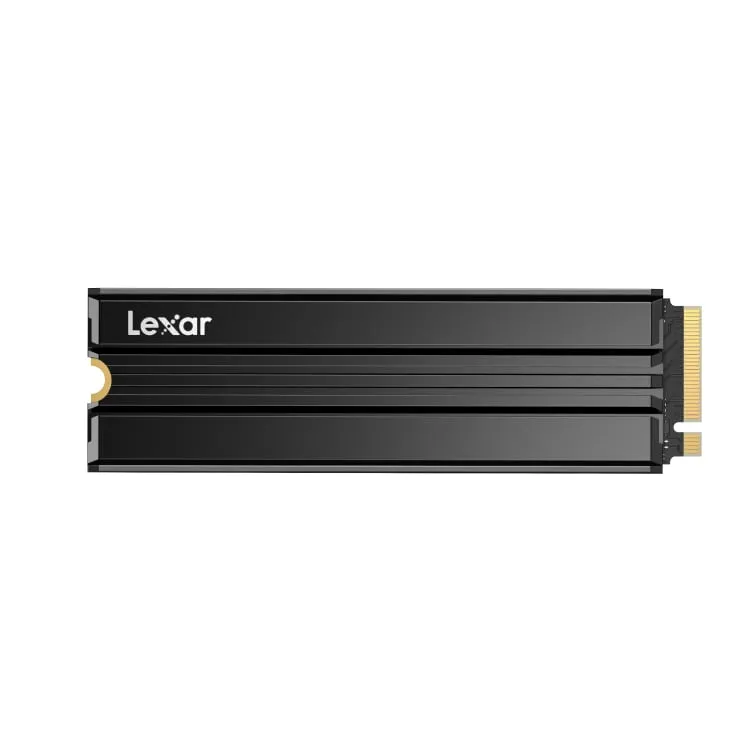
Lexar NM790 with Heatsink
Best for: Players who mostly need room for GTA VI and a few other big games
- Capacity we'd buy
- 1TB
- Rated read speed
- Up to 7,400MB/s
- Heatsink
- Built in
- Thickness
- 0.39 inches with heatsink
- Warranty
- 5 years
Usually around $185 for 1TB
What we like
- Around $185 for 1TB, among the cheapest name-brand drives with a heatsink already on
- Rated at 7,400MB/s, faster on paper than drives costing twice as much
- Five-year warranty, rated for 1,000TB of total data written
What to know
- 1TB holds GTA VI plus about three more games that size
- The 2TB heatsink version is hard to find in stock
The Lexar NM790 with Heatsink is the answer for anyone who just wants GTA VI to fit and would like change from $200. The 1TB version usually sells for around $185, which makes it among the cheapest name-brand drives with a heatsink already on it.
It has the same rated read speed as pick 1, up to 7,400MB/s. Lexar lists it as PS5 compatible, the heatsink brings it to about 0.39 inches thick, and the warranty runs five years.
Now the catch, and it is the obvious one. 1TB is room for GTA VI and roughly three more games that size, so heavy players will be back to juggling installs by spring. The 2TB heatsink version would fix that, but it has been hard to find in stock, and Lexar’s own list price for it is around $460. That is a lot more than a bare 2TB drive plus a heatsink, and it is the memory shortage in one number.
Skip the 1TB if your library is full of 100GB-plus games. The better spend is pick 1, or pick 2 if you do not want a small project.
4. Samsung 990 Pro with Heatsink
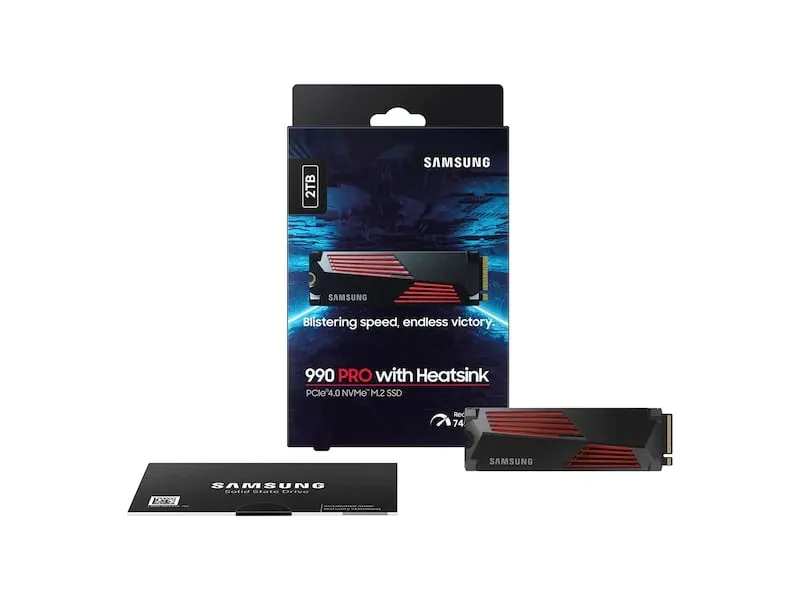
Samsung 990 Pro with Heatsink
Best for: Buyers who expect to move the drive into a gaming PC one day
- Capacity we'd buy
- 2TB (1TB and 4TB also sold)
- Rated read speed
- Up to 7,450MB/s
- Heatsink
- Built in
- Warranty
- 5 years
Usually well over $500 for 2TB
What we like
- Rated at 7,450MB/s, the fastest drive in this guide
- Samsung designs the memory chips and the controller itself
- Heatsink attached and sold by Samsung as PS5 compatible
What to know
- Costs more than $200 above pick 1 at 2TB for no extra speed you can feel on a PS5
- You are paying for PC-friendly extras the console never uses
The Samsung 990 Pro with Heatsink is the fastest drive here on paper, rated at up to 7,450MB/s, and it is the one enthusiasts name first. Samsung designs both the memory chips and the controller (the drive’s onboard brain) itself, and it sells this version as PS5 compatible with the heatsink attached.
Here is what that reputation buys you inside a PlayStation: very little. Sony recommends 5,500MB/s, and every drive in this guide clears that with room to spare. The extra 150MB/s of rated speed over pick 2 is a number on a box, not something you will feel while GTA VI loads.
So the extra money is for life outside the console. If you expect to move this drive into a gaming PC in a couple of years, Samsung’s software and track record are worth having.
Price is the blunt catch. The 2TB heatsink model usually runs well over $500, against about $315 plus a heatsink for pick 1. Skip it if the drive will live in a PS5 for good.
5. SanDisk Optimus GX PRO 850P
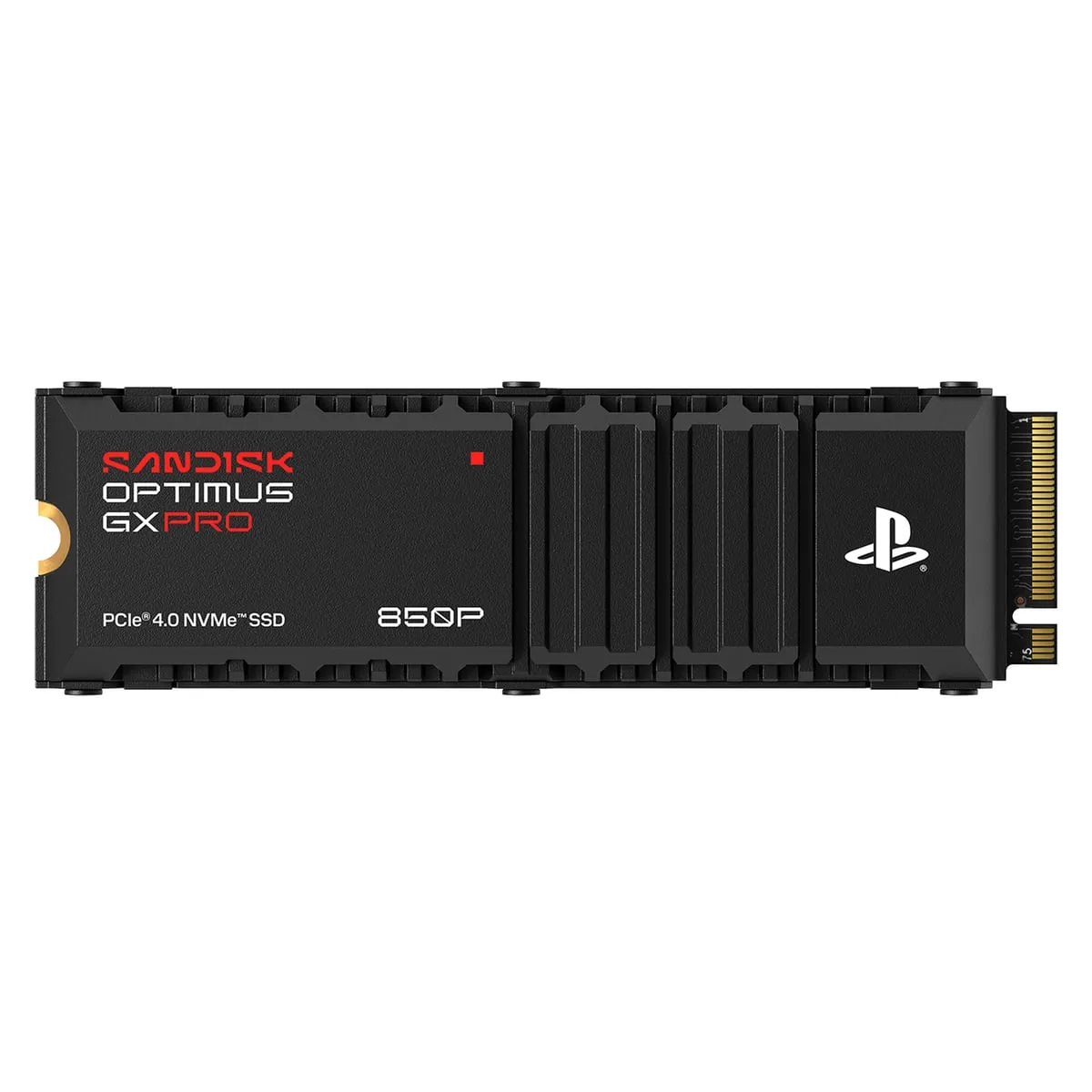
SanDisk Optimus GX PRO 850P
Best for: Gift buyers and anyone who wants the PlayStation logo to settle every compatibility question
- Capacity we'd buy
- 2TB
- Rated read speed
- Up to 7,300MB/s
- Heatsink
- Built in, shaped for the PS5 slot
- Warranty
- 5 years
- Licensing
- Official for PS5 and PS5 Pro
Usually around $570 for 2TB
What we like
- Officially licensed for the PS5 and PS5 Pro
- Heatsink designed for the console's own airflow
- Same rated read speed as the 850X, so nothing is lost on paper
What to know
- About $140 more than the near-identical 850X with Heatsink at 2TB
- Over $250 more than pick 1 for a logo and a console-shaped heatsink
The 850P is the officially licensed one, the PlayStation-branded successor to the WD_Black SN850P. It carries the PlayStation logo, SanDisk says its heatsink was designed for the airflow inside the PS5 and PS5 Pro, and it is sold in several capacities.
Underneath, it is very close to pick 2. The rated read speed is the same 7,300MB/s, the warranty is the same five years, and it loads games the same. The difference is the price: the 2TB usually runs around $570, about $140 more than the 850X with Heatsink and over $250 more than pick 1.
What the license buys is certainty. Nobody has to check a measurement or a spec sheet, which makes this the easy choice for a gift or for a buyer who never wants to think about M.2 dimensions again.
Skip it if you are spending your own money and can read a product listing. Pick 1 does the same work for far less.
What to look for in a PS5 SSD for GTA 6
Sony publishes the rules on its M.2 SSD requirements page, and every pick above passes them.
The specs Sony actually checks
The drive must be a PCIe Gen4 x4 NVMe M.2 SSD. In plain words: M.2 is the stick-of-gum shape, PCIe Gen4 x4 is the fast four-lane connection the slot uses, and NVMe is the language the drive and console speak over it. Older M.2 SATA drives are not supported.
Capacity can be anywhere from 250GB to 8TB. With its heatsink the drive can be up to 25mm wide (about an inch) and 11.25mm thick (under half an inch). Sony recommends a sequential read speed of 5,500MB/s or faster.
Does a faster drive load GTA VI faster?
Not in any way you should pay for. Sony treats 5,500MB/s as the target, and every drive here is rated well above it. Once a drive clears Sony’s recommendation, paying for more rated speed is paying for a number on a box.
Write speed, PCIe Gen5 and RGB lighting do not matter here either. Nobody can see lights inside a closed console.
1TB or 2TB?
PlayStation lists the standard PS5 with a 1TB drive and the Digital Edition with 825GB, and part of each is reserved for system software. The PS5 Pro ships with 2TB. GTA VI’s 212GB is about 21 percent of the first, 26 percent of the second and 11 percent of the third.
A 1TB add-on is enough if GTA VI is the main event. Buy 2TB if you keep several big games installed, because it costs less per terabyte and you only open the console once.
Either way, expect to pay more than you would have a year ago. A memory shortage has lifted drive prices across the industry in 2026, so we’d buy the capacity you need now and not a terabyte more.
Do you need a heatsink?
Yes. Sony requires a heatsink or heat transfer sheet on any drive in the slot. A built-in one costs more and removes all doubt. Adding your own is cheaper and takes a few extra minutes.
What about a cheap external USB drive?
It works as a closet, not a room. Sony’s extended storage guide says PS5 games cannot be played directly from USB extended storage, so each one has to be copied back to the console before you can play it. For a 212GB game, that wait adds up.
How hard is the installation?
Easier than building flat-pack furniture. You need a screwdriver and a clear table. Sony does not publish an installation time, but we’d budget about ten to fifteen minutes. Sony’s guide (the same page as the requirements) has separate steps for the original console and the newer models, and the PS5 prompts you to format the drive when it powers back on.
| Drive | Size we’d buy | Rated read speed | Heatsink | Warranty | Typical price |
|---|---|---|---|---|---|
| Lexar NM790 | 2TB | 7,400MB/s | Add your own | 5 years | Around $315 |
| SanDisk Optimus GX PRO 850X with Heatsink | 2TB | 7,300MB/s | Built in | 5 years | Around $430 |
| Lexar NM790 with Heatsink | 1TB | 7,400MB/s | Built in | 5 years | Around $185 |
| Samsung 990 Pro with Heatsink | 2TB | 7,450MB/s | Built in | 5 years | Well over $500 |
| SanDisk Optimus GX PRO 850P | 2TB | 7,300MB/s | Built in | 5 years | Around $570 |
How we chose these PS5 SSDs
We started with Sony’s requirements and dropped anything that missed them. Then we ranked what was left by cost per terabyte, because on a PS5 the speed differences between these drives are too small to notice. Every pick has a five-year warranty and a manufacturer page that names the PS5 as compatible or licensed.
We checked each maker’s documentation for dimensions and fine print, and we compared typical street prices, not last year’s list prices. Our how we pick page explains the approach in full.
Two absences deserve a word. Crucial’s T500 still appears in stores, but Micron is winding down the Crucial consumer brand, and supply is too uncertain to recommend. Corsair’s MP600 Pro LPX meets the spec, but at well over $500 for 2TB it is hard to justify next to our top pick.
Which one should you buy?
If you want 2TB for the least money and can stick a heatsink on a drive, get the bare Lexar NM790 and a slim heatsink. It is the cheapest 2TB route here that clears Sony’s spec.
If you want 2TB and no homework, pay about $100 more for the SanDisk Optimus GX PRO 850X with Heatsink. If your budget stops at $200, get the 1TB Lexar NM790 with Heatsink and accept that you will delete a game now and then.
If the drive is a gift, or you simply want the logo, buy the 850P. If it will end up in a PC someday, the Samsung earns its premium there, not here.
If you own a PS5 Pro with 2TB built in, you can probably wait. And if your storage is sorted and the screen is the weak link, our TV picks for GTA VI are the better place to spend.
A 212GB game was always going to cost more than its sticker price. At least this part of the bill comes with a five-year warranty.
More buying guides
Best TV for GTA 6 in 2026: six sets that do a Leonida sunset justice, and why none of them needs to be 165Hz
A sun-bleached open world that reportedly runs at 30 frames per second rewards brightness and contrast, not a three-digit refresh rate. Shop accordingly.
Best microSD Express card for Switch 2 in 2026: they all load Mario Kart in about 20 seconds, so we'd shop by price per gigabyte
Every Express card loads games at nearly the same speed. So the smart money goes on price per gigabyte, warranty and a brand name you can trust.
Best power bank for Steam Deck in 2026: five packs that deliver the 45 watts Valve asks for, and one number on the box you can ignore
Wattage is the whole story. A pack that cannot push 45W from one USB-C port will lose ground to a demanding game, however big the number on the box.